Disaster Recovery as a Service (DRaaS) & Business Continuity
Business continuity and disaster recovery planning that protects critical systems, databases, and operational uptime when disruptions occur.
Business Continuity & Server Recovery
What is Disaster Recovery as a Service (DRaaS)?
Disaster Recovery as a Service (DRaaS) replicates your physical and virtual servers to a local backup appliance and an encrypted off-site cloud repository. When hardware fails, power drops, or ransomware hits, DRaaS boots replica virtual servers in minutes so your Southern California office can keep working.
What is the difference between RTO and RPO in business continuity?
Recovery Time Objective (RTO) is how long your servers can stay offline before hurting the business. Recovery Point Objective (RPO) is the maximum age of files you can afford to lose between backup snapshots. Genesis builds DRaaS configurations around 15-minute RPO snapshots and sub-hour RTO spin-up for critical servers.
- Instant failover: Boot local or cloud replica servers in minutes when primary hardware fails.
- Ransomware quarantine: Isolate infected endpoints before encryption spreads across shared drives.
- AES-256 encryption: Encrypt backups on the local appliance and in off-site cloud vaults.
- Automated boot tests: Scheduled test restores verify your snapshots actually boot cleanly before an emergency happens.
Schedule Risk Assessment
Identify vulnerabilities in your current infrastructure and learn how to minimize recovery time (RTO) and point (RPO) objectives.
Critical EOL Vulnerability Alert: Windows Server 2016
Windows Server 2016 Extended Support ends on January 12, 2027. Running unsupported servers leaves your business wide open to ransomware once security patches stop. Transitioning legacy databases and line-of-business apps to modern, secure infrastructure is a prerequisite for cyber insurance eligibility and robust disaster recovery planning.
DRaaS & Backup Solutions
We design custom backup plans engineered around your RTO (Recovery Time Objective) and RPO (Recovery Point Objective).
- ✓ Daily verification reports
- ✓ End-to-end AES-256 encryption
- ✓ Hybrid local & cloud replication
Starting Price Range
$150 - $450 / server / mo
Business-Ready Platforms
Genesis integrates and configures industry-leading, independently audited backup technologies to ensure data restoration integrity.
Hardware configurations support on-premises backup appliances mapping to public cloud vaults.
Disaster Recovery as a Service (DRaaS)
We replicate your physical and virtual servers to a local BCDR appliance and an off-site cloud vault. If a primary server fails, a power outage hits, or ransomware locks a volume, our engineers can boot your server images on the local appliance or in the cloud to get your staff back to work with minimal data loss.
Structured Implementation Roadmap
Our structured, multi-phase approach ensures your company's data assets remain secure, verified, and rapidly restorable at all times.
Audit & Assessment
We analyze your network and servers to identify single points of failure and recovery bottlenecks.
Redundant Backups
We deploy localized hybrid-cloud backups with secure, redundant off-site replication.
Active Threat Detection
Continuous automated security monitoring detects and quarantines ransomware threats before they encrypt your data.
Recovery Validation
We perform scheduled restoration tests to ensure your systems can boot instantly during a disaster.
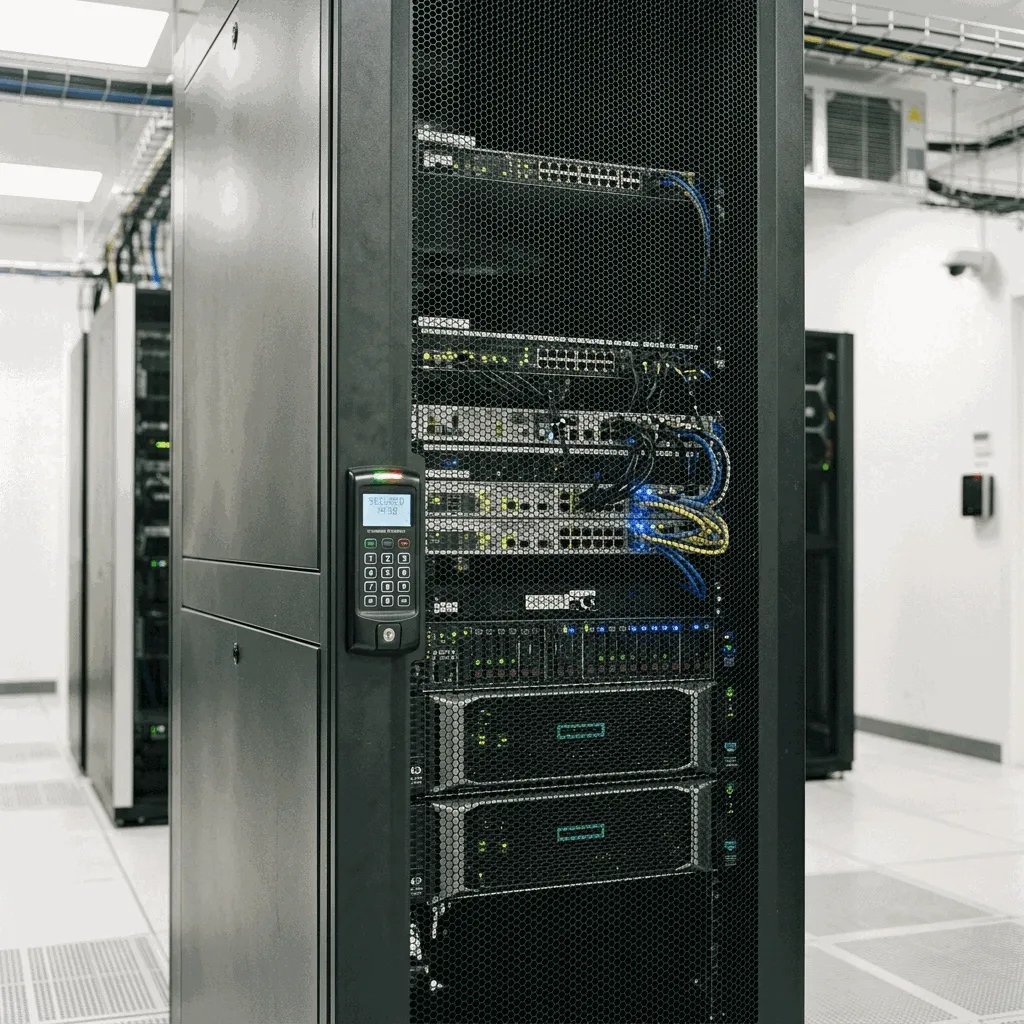
Automated Failover Infrastructure
We protect your business with a unified approach: proactive cybersecurity defenses to prevent attacks, paired with automated recovery systems to restore operations if the unexpected occurs.
Our Southern California team designs custom continuity plans tailored to your target RTO (Recovery Time Objective) and RPO (Recovery Point Objective), keeping your critical business systems resilient.
Disaster Recovery Tier & SLA Specifications
Technical benchmarks and recovery objectives engineered to protect Southern California businesses from ransomware, hardware destruction, and catastrophic data loss.
| Features | Pricing/Tiers | Best For | Limitations |
|---|---|---|---|
Tier 1: Instant Local Virtualization On-premise BCDR appliance, sub-15 minute instant boot VM spin-up, 15-minute incremental snapshots, automated screenshot boot verification, and AES-256 local drive encryption. | Active line-of-business SQL servers, ERP databases, domain controllers, and high-transaction workloads requiring near-zero operational downtime. | Vulnerable to localized physical facility disasters (fire, flooding, building power collapse) if not paired with off-site replication. | |
Tier 2: Off-Site Cloud Failover Replica Geographically redundant cloud replica, 1–4 hour cloud infrastructure spin-up, hourly snapshot replication, end-to-end encrypted in-transit vaulting, and emergency cloud VPN gateway. | Total site loss, office displacement, regional seismic events, or severe ransomware containment requiring clean off-network cloud workstations. | Cloud spin-up introduces minor network latency compared to local bare-metal hardware; relies on staff internet connectivity during remote cutover. | |
Tier 3: Immutable Cold Archival Storage WORM (Write Once, Read Many) air-gapped immutable snapshots, daily image verification, 7–10 year regulatory retention compliance, and ransomware-proof isolation. | HIPAA patient records, financial accounting archives, defense manufacturing engineering documents, and legal audit compliance requirements. | Slower recovery timeline (12–24 hours for bare-metal restore); not designed for live transactional system failover. |
Pricing note: Published pricing applies to qualifying managed computers under the applicable agreement. Servers, network infrastructure, projects, onboarding, Microsoft licensing variations, after-hours support, and specialized compliance requirements may be quoted separately.
What counts as a computer: A computer refers to a managed Windows or Mac desktop or laptop workstation. Dedicated physical/virtual servers, network firewalls, specialized cloud tenants, and multi-site project deployments are quoted separately.
Compliance Responsibility Disclaimer: Customer legal and compliance obligations remain the customer's responsibility. Genesis Computer Systems provides technical safeguards and infrastructure engineering to support customer security and audit preparation, and does not provide legal advice, formal compliance certification, or guaranteed insurance outcomes.